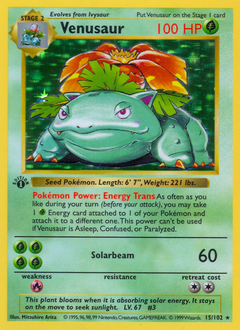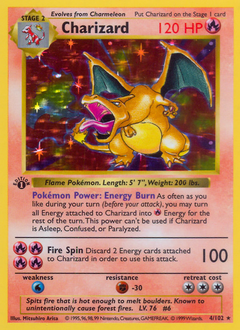


The Reorganization Trap
Every TCG collector has been there. You get a new card, open your binder, and realize:
- There's no room on the page where it belongs
- Moving it means shifting the next 30 cards
- By the time you're done, you've spent an hour and your back hurts
This is what the community calls reorganization fatigue, and it's the number one reason collectors give up on keeping their binders organized.
The Solution: Mock It Up First
Professional designers don't build a website by writing code randomly. They create mockups first. The same principle works for binder pages.
Before touching your physical collection:
- Open a digital binder planner
- Search for the cards you have (or want to buy)
- Drag them into a page layout and try different arrangements
- See how they look together, from colors to art styles to themes
- Once you're happy, arrange the physical cards to match
You move each card exactly once. No trial and error. No reshuffling.
What to Look For in a Binder Planner
Not all tools are created equal. A good digital binder planner should have:
- Card search with access to a real card database, not manual image uploads
- Drag and drop so you can move cards between slots easily
- Multiple layouts like 2×2, 3×3, and 4×3 grids that match real binder page sizes
- Multiple pages so you can plan your entire binder, not just one page
- Multi-TCG support that works with Pokémon, Magic: The Gathering, and Yu-Gi-Oh
AuraBinder checks all of these boxes and is completely free. It also shows market prices so you can see what a page would cost to build.
Real-World Example
Say you want to build a Charizard evolution page.
Without planning: You pull out your Charmanders, Charmeleons, and Charizards. You try arranging them on a page. The art styles clash. You swap some out. The page is full but one card doesn't fit the vibe. You've been at this for 20 minutes.
With planning: You search "Charizard" in a binder planner, drag in your favorites, instantly see which art styles complement each other, swap until it looks perfect, then arrange the physical cards in 2 minutes.
Same result. A fraction of the time.
It Works for Every TCG
This isn't just a Pokémon thing. Magic: The Gathering collectors organize by color identity, set, or commander. Yu-Gi-Oh players sort by archetype or rarity.
Whatever your game, the principle is the same: see the layout before you build it.